Vonets VAP11S-5G Mini WiFi Bridge Ethernet/Mini Repeater/WiFi Router/Industrial Signal Booster 5GHz With 2 RJ45 Ports/Antennas And USB/DC Powered For DVR Monitoring PLC Medical Device


$ 12

- VONETS WiFi Bridge Ethernet / Mini Wireless Router / WiFi To Ethernet , DC Powered, 2 RJ45 Ports For DVR , IP Camera , Industrial PLC , AGV, PS3, Network Devices VAP11S
Get it delivered as soon as today. Schedule your delivery in checkout.
More delivery methods in checkout
Free & Easy Returns In Store
Return this item within 7 days of purchase.
Get an immediate answer with AI
AI-generated from the text of manufacturer documentation. To verify or get additional information, please contact customer service.
Product Details
About This Product
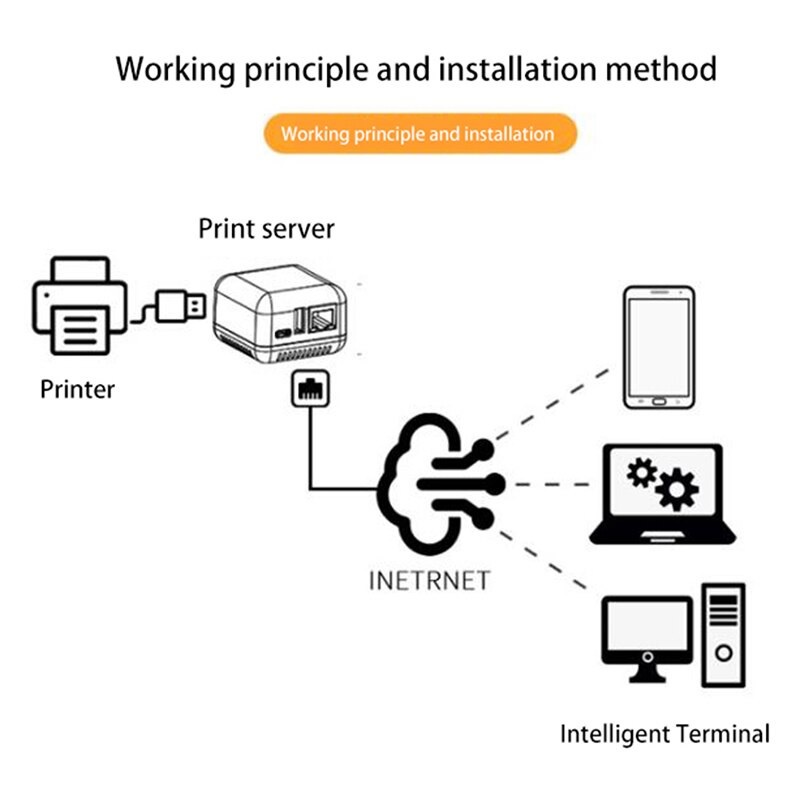
Ethernet port state (light Green for success); 【Function and Technical Application】WiFi hotspot auto reconnect, two hotspot matching methods: full match authentication mode; SSID and password authentication mode, support SSA signal strength detection reporting function, motion detection function and storage hotspot (up to 100) auto match connection function, realize WiFi motion applications. How To Use Device? (Configuration steps) First: Using a standard 5V/2A power supply to power up the device, need to disable the wireless card first if there is Laptop; Second: Open the PC browser to enter 192., 168., 254., 254, to interface and input ID: admin Password: admin (Suggest IE browser) Third: Select WiFi hotspots to connect, enter the WiFi password, Restart to complete the configuration (You don't need to wait for the webpage to complete, just observe the WiFi light, it changes from slow flashing to fast flashing to indicate successful configuration), and do not power off the device when the configuration is completed or restarted., Pay Attention: 1., If the application is AC managed AP, GoP camera, Cis AP, HiK surveillance system, select MAC layer transparent; 2., When using an iPhone or Huawei mobile phone as the source hotspot, you need to select SSID and password authentication mode during configuration. BrosTrend WiFi to Ethernet Adapter, Universal WiFi Bridge for Printer... Aazon.co: Vonets VBG1200 2.4GHz/5GHz ini WiFi Bridge Ethernet WiFi state/Hotspot connection state (Blue light); 【Powered Supply&Parameters】USB or DC optional powered mode, one 30cm power cable with 1 male DC port and 1 male USB port, one female DC port of parallel connection. Supports IP layer transparent transmission and MAC layer transparent transmission. Hardware Features Support wide voltage DC5V-15V (Standard typical 5V/2A, ripple less than 100mV) ;, Interface:1 DC2., 0 power hole; 1 dedicated two-in-one power supply cable, with a set of power supply and a set of 10/100M adaptive Ethernet cable;, LED Status instruction: It can be used for wired or wireless devices that need to be connected to the Internet., Function Features Industrial 2., 4GHz WiFi Bridge/Wireless Repeater; can achieve WiFi to Wired or Wired to WiFi function., Wireless bandwidth : 2., 4G 300Mbps (theoretical value)., WiFi transmission protocol: 802., 11B/G/N; WiFi Bridge Mode Bridge mode can convert WiFi to RJ45(Ethernet) network or RJ45 to WiFi. Use the VAP11G-300 network cable to plug it into the computer's network port and then connect the computer to the Internet. Connect wired devices to WiFi effortlessly! WiFi Repeater Mode Repeater mode can expand the existing network, at the edge of the original WiFi hotspot signal coverage, it can receive the weak WiFi signal and then boost it to the normal safe strength. Powered by wide voltage DC5V-15V(Typical 5V/2A, ripple less than 100mV) ; Other wireless devices can directly connect to the VAP11G-300 to easily access the Internet., VAP11G-300*1 , User manual*1 , Retail box*1 VONETS WiFi Bridge Ethernet / Mini Wireless Router / WiFi to Ethernet , DC Powered, 2 RJ45 Ports for DVR , IP Camera , Industrial PLC , AGV, PS3, Network Devices VAP11S Wifi Ethernet Bridge Vonets VAP11S-5G Mini WiFi Bridge Ethernet/Mini Repeater/WiFi Router/Industrial Signal Booster 5GHz With 2 RJ45 Ports/Antennas And USB/DC Powered For DVR Monitoring PLC Medical Device Wireless Bridge Support for connecting more than 20 WiFi terminals at the same time; 【WiFi to Ethernet Convert】 Industrial Mini WiFi Bridge/Wireless Repeater/WiFi Ethernet Adapter/WiFi to RJ45 Ethernet convertor ; can achieve WiFi to Wired or Wired to WiFi function (WiFi to Ethernet or Ethernet to WiFi convert) ; 【Great Ideal for WiFi or RJ45 Ethernet Network Devices】Good partner for Electronic scales, DVR, IP camera, medical devices, IoT devices, video transmission, industrial PLC, PS3, network Printer, robot and more Network devices or applications. Suitable for many WiFi or Wired (RJ45/Ethernet) network devices and applications Good Partner for Industrial, Factory, Company, Network Printer, Monitoring, DVR, IP camera, Medical devices, IoT devices, Video transmission, POS Cash Register, PS3, Robot, Doll Machine, Electronic Scales, PLC and more network devices or applications., Tips: 1., After configuration, if this device doesn't work with your devices or your application is AC managed AP, IP camera, surveillance system or other devices, please change the setting of Transmission mode to MAC layer transparent; 2., If you want to use Huawei or iPhone as the source hotspot for WiFi bridge, please select SSID and password match in the Advanced Setting under the upper-level hotspot password during configuration., 3., If the device disconnects frequently or other problems during use, you can upgrade the software online and may be able to solve the problem!Product Information
Customer Reviews
4.5 out of 5